
One Plugin Too Many? Why WordPress Sites Break Before They Get Hacked
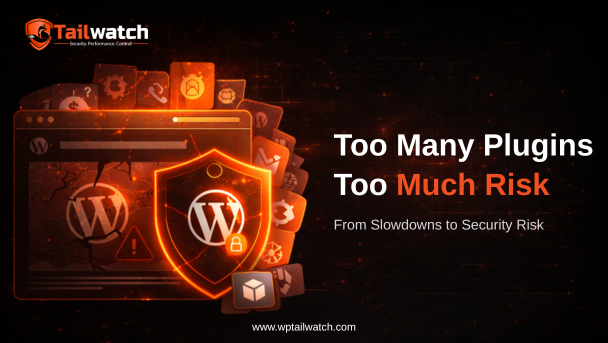
Most WordPress sites don't fail because of hackers, they fail because of plugin overload. As installs grow to 23 plugins, silent conflicts, a wider attack surface, performance decay and unmanageable maintenance accumulate. The site weakens gradually until it breaks, often before any attacker even arrives. Consolidation is the fix.
Most WordPress sites do not fail because of hackers. They fail because of plugin overload. It's an uncomfortable truth for an ecosystem built on the promise that there's a plugin for everything: the very flexibility that makes WordPress powerful is also what quietly drags sites toward failure.
A typical site starts simple. Then, over months, it grows, a plugin for security, another for caching, one for backups, one for SEO, one for monitoring, and a dozen more for forms, galleries and tweaks. Before long it's running 23 plugins, each a separate codebase with its own update cadence, its own bugs, and its own way of stepping on the others. That's where the trouble starts.
1. Plugin conflicts create silent failures
When many plugins run side by side, they inevitably interfere with one another. A security plugin clashes with a cache system. A backup quietly fails with no clear error message. Login protection collides with firewall rules and locks out legitimate users.
The real danger isn't the conflict itself, it's that these problems stay hidden. There's no alert, no obvious break, just a function that silently stopped working. You often discover it at the worst possible moment: when you actually need that backup, or when the security layer you assumed was protecting you turns out to have been disabled by a conflict weeks ago.
2. More plugins mean a larger attack surface
Every plugin you install is another potential security vulnerability, another door that has to be locked, watched and kept up to date. And the risk doesn't disappear when you stop using a plugin.
- Even inactive plugins can harbour exploitable vulnerabilities while sitting deactivated.
- Abandoned plugins that no longer receive updates actively attract attackers.
- Hackers run automated scans for outdated plugin versions across the entire web.
Patchstack reported that the overwhelming majority of new WordPress vulnerabilities disclosed each year originate in plugins and themes rather than WordPress core, so every additional plugin measurably increases your exposure. Source: Patchstack State of WordPress Security
The pattern is consistent: most compromised WordPress sites were running trusted but neglected or outdated plugins. The threat wasn't exotic, it was simply one component nobody got around to updating.
3. Performance drops hurt SEO and user trust
Plugin overload isn't only a security problem; it's a speed problem with security consequences. Every plugin adds code, database queries and load time, and a slow site creates indirect risk.
- Lower search rankings as page speed signals decline.
- Higher bounce rates as impatient visitors leave.
- A sluggish, frustrating admin experience that makes maintenance harder.
Here's the trap: to win back speed, some site owners disable security features, paradoxically increasing their exposure. The pursuit of performance ends up undermining protection.
4. Manual management becomes impossible
There's a point where the sheer number of plugins outgrows any human's ability to oversee them. Updates get delayed because there are too many to track. Security alerts get ignored in the noise. Logs go unreviewed because nobody has time.
Operations drift from proactive to reactive, you stop preventing problems and start firefighting them after they surface. The site isn't being managed anymore; it's being survived.
5. The shift toward unified security platforms
The clear trend in 2026 is consolidation: replacing fragmented plugin ecosystems with unified platforms that do the same jobs in one coordinated system. Fewer moving parts means fewer conflicts, a smaller attack surface, and a maintenance burden a single person can actually handle.
This is exactly the problem WP Tailwatch was built to solve. It replaces 23+ separate plugins, firewall, malware scanning, backups, login security and monitoring are each features of one audited platform rather than separate installs you have to wire together. That consolidation eliminates the silent conflicts, shrinks what an attacker can target, and is managed from a single mobile-first app with real-time alerts. It's fully available today, with a free forever plan, no waitlist.
Sites don't snap, they erode
The lesson is that WordPress sites rarely fail in a dramatic, single moment. They weaken gradually through plugin overload, conflict by conflict, outdated version by outdated version, until something critical finally breaks or an attacker walks through a door nobody was watching. The fix isn't more vigilance over more plugins. It's fewer, better-coordinated parts. Consolidation is a security and stability strategy, not just a tidiness one.
Frequently asked questions

Trade your plugin stack for one platform
Firewall, malware scanning, backups, login security and monitoring, consolidated into one platform. Fewer conflicts, smaller attack surface. Start free.
- Free forever plan
- No credit card
- 14-day money-back on paid plans