Basic, Free
Core web application firewall for 1 site, blocking injection, XSS, and malicious requests out of the box.

The WP Tailwatch firewall is a web application firewall (WAF) that inspects every request and blocks SQL injection, XSS, and exploit attempts at the edge, before they ever reach WordPress. Virtual patching shields known vulnerabilities while you wait on updates.
The WP Tailwatch firewall is a web application firewall (WAF) that blocks SQL injection, XSS, and malicious requests at the edge before they reach WordPress. With OWASP-style rules and virtual patching of known vulnerabilities, it stops attacks while real visitors pass through untouched.
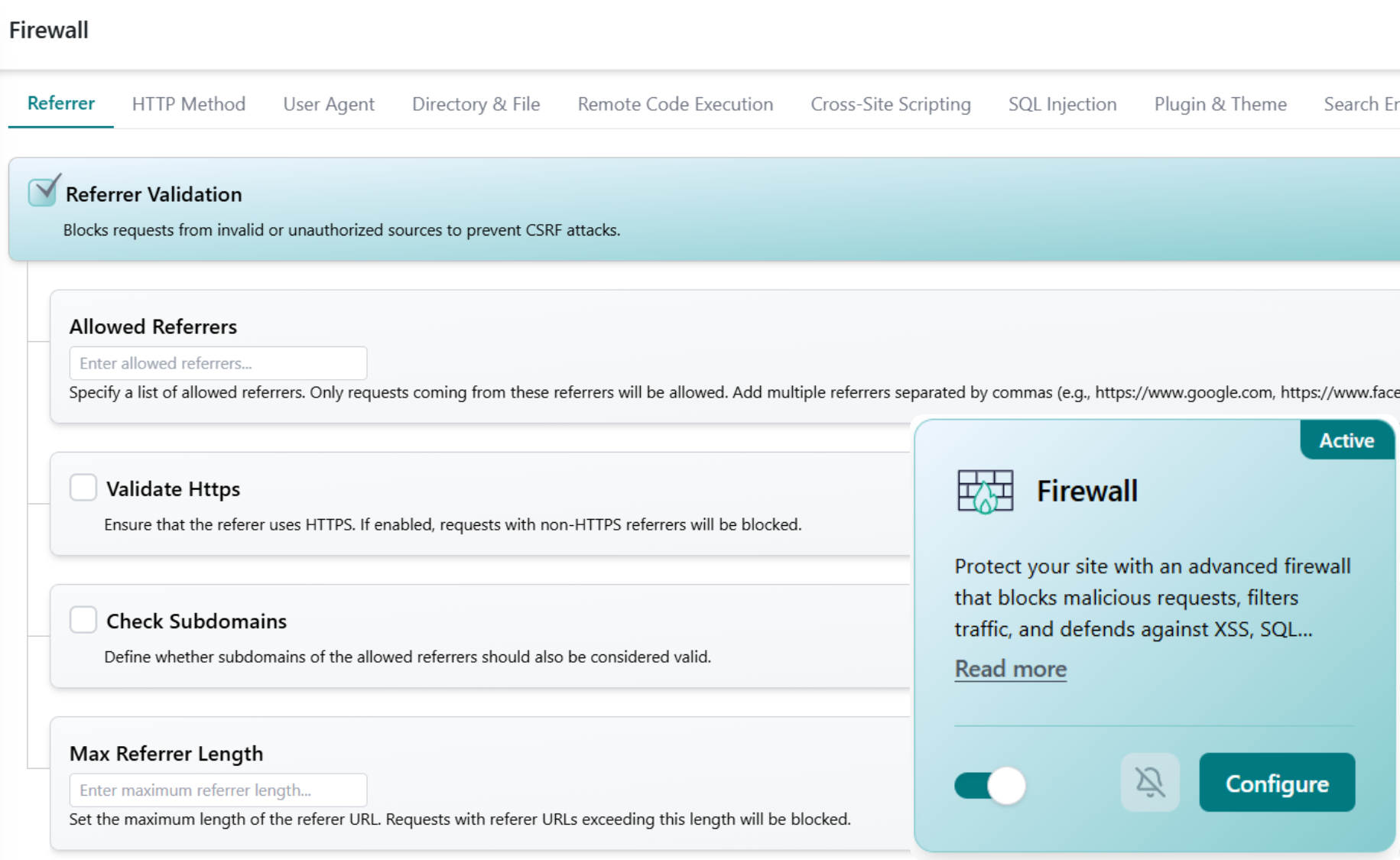
Attackers probe WordPress sites around the clock with injection payloads, cross-site scripting, and exploits for known vulnerabilities. The firewall inspects each request against OWASP-style rules and blocks the dangerous ones before they touch your code or database.
Connect your site once and the firewall runs on its own, inspecting every request, blocking the dangerous ones, and letting real visitors pass straight through to WordPress.
The firewall examines each incoming request against OWASP-style rules, looking for injection payloads, XSS, and signatures of known exploit attempts.
Dangerous requests are rejected at the edge before WordPress, your plugins, or your database ever process them, including attempts to exploit unpatched vulnerabilities.
Legitimate visitors pass straight through. When a notable attack is blocked or malicious traffic spikes, a real-time alert lands on your phone.
Injection and cross-site scripting have ranked among the most critical web application security risks for years, and WordPress sites are probed for them constantly. Source: OWASP Top 10. A single vulnerable plugin or theme is all an attacker needs to inject code, steal data, or take over your site.
A web application firewall closes that gap at the front door. By filtering requests at the edge and virtually patching known vulnerabilities, the WP Tailwatch firewall stops attacks before they reach your code, buying you protection even before you've had a chance to update. That's the WP Tailwatch approach: defense first, with the rest of your security stack behind it.
Start blocking attacks for free, scale up across every site you manage.
Core web application firewall for 1 site, blocking injection, XSS, and malicious requests out of the box.
Virtual patching, detailed attack logs, and block alerts for 1-20 sites, paired with the full WP Tailwatch security suite, including automatic malware removal.
Firewall protection across 21-1,000 sites with tiered volume pricing and one dashboard for your whole portfolio.
The firewall pairs with the rest of WP Tailwatch, replacing 23+ separate plugins with one platform.
Straight answers on how the firewall inspects requests, blocks threats, and protects every site you manage.
The WP Tailwatch firewall is a web application firewall (WAF) that inspects every request to your WordPress site and blocks malicious ones, like SQL injection, cross-site scripting, and exploit attempts, at the edge, before they ever reach WordPress or your database.
Yes. The firewall uses OWASP-style rules to detect and block injection and cross-site scripting payloads, which are consistently among the top web application risks. Malicious requests are stopped before they can reach your code or data.
Virtual patching means the firewall blocks attempts to exploit a known plugin or theme vulnerability at the request level, protecting you even before the developer ships a fix or you've had time to update. It buys you time without changing your site's code.
Yes. The firewall is fully available now as part of WP Tailwatch, there is no waitlist or beta. Core firewall protection is included on the free Basic plan, with full controls on the Business and Agency plans.
No. Requests are filtered efficiently at the edge, so legitimate visitors experience no meaningful delay. Only malicious or suspicious requests are blocked, while your real traffic passes straight through to WordPress.
A standalone firewall plugin only filters requests. The WP Tailwatch firewall is one of 23+ tools in the platform, so you replace a single-purpose plugin and dozens of others with one solution, managed from your phone and one cloud dashboard.
Yes. The firewall blocks attacks at the door, while WP Tailwatch's AI Malware Guard scans for and removes anything that slips through. Automatic malware removal is available on Business and higher plans for layered protection.
Yes. From the WP Tailwatch mobile app and cloud dashboard you can see blocked attacks and manage firewall rules for every site you own in one place, which is ideal for agencies running many WordPress installs.
Yes. When the firewall blocks a notable attack or sees a spike in malicious requests, you get a real-time alert on your phone so you always know your site is under protection and what was stopped.
Block injection, XSS, and exploit attempts at the edge, virtually patch known vulnerabilities, and get alerts the moment an attack is stopped. Start free today.